Elegant Floral Illustrations for Wedding Design Projects
There's something about a hand-drawn floral arrangement that instantly softens a design. Whether it's the gentle curve of a peony petal or the delicate details of eucalyptus leaves, these organic elements bring warmth and personality to any creative project. For designers, small business owners, and content creators working in the wedding industry—or simply aiming for a romantic, botanical aesthetic—having access to versatile floral illustration assets can transform ordinary layouts into something memorable.
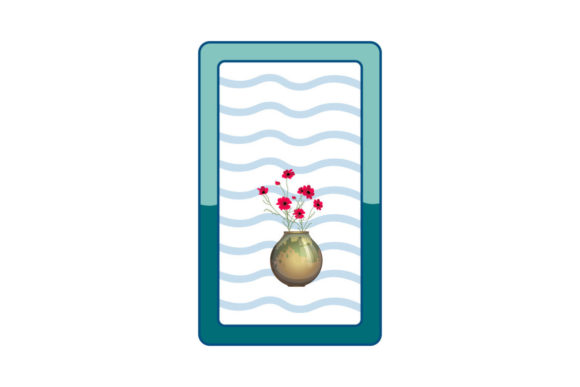
This particular collection of floral wedding decoration illustrations comes as a set of six digital files, each sized at 1920 by 1280 pixels. The package includes AI, EPS, SVG, DXF, JPG, and PNG formats, which means you're covered whether you're working in Adobe Illustrator, cutting with a Cricut machine, or simply dropping elements into a Canva template. The variety of file types also makes it straightforward to edit colors, resize elements, or isolate specific blooms for different applications.
Where Botanical Illustrations Shine in Real Projects
Wedding stationery is the obvious starting point. Save-the-dates, invitations, RSVP cards, and menu layouts all benefit from floral accents that feel curated rather than clip-art generic. But the usefulness of these illustrations extends well beyond the wedding niche. Think about a boutique candle brand that wants its packaging to evoke a garden-inspired lifestyle. Or a wellness blog that needs header images with a soft, organic feel. A set like this gives you building blocks that work across dozens of scenarios.
Here are some practical ways designers and entrepreneurs put floral illustration sets to work:
- Brand identity systems – Secondary graphics and pattern elements for logos, business cards, and letterheads that need a botanical touch without overwhelming the primary mark.
- Social media content – Instagram stories, Pinterest pins, and Facebook covers where floral frames or corner arrangements add visual interest to text-based posts.
- Website design – Hero sections, blog post headers, about-page backgrounds, and decorative dividers that break up content while maintaining a cohesive aesthetic.
- Packaging and labels – Product labels for handmade goods, favor tags, box inserts, and tissue paper patterns for e-commerce brands in the beauty, food, or lifestyle space.
- Print materials – Posters, flyers, brochures, and editorial layouts for magazines or lookbooks that aim for a refined, nature-inspired mood.
- Digital products – Printable wall art, planner stickers, journal covers, and desktop wallpaper collections sold on Etsy or Creative Market.
- Event signage – Welcome signs, table numbers, seating charts, and bar menus for weddings, bridal showers, and garden parties.
The SVG and DXF formats deserve special mention for anyone involved in physical product creation. If you use a cutting machine for vinyl decals, paper crafts, or fabric appliqués, having vector-based floral elements ready to go saves hours of manual tracing. You can scale them up for a large welcome sign or down for a tiny envelope seal without losing any detail.
Making Floral Elements Work With Your Typography
One of the trickiest parts of incorporating decorative illustrations into a design is balancing them with your text. Floral elements are naturally detailed and visually busy, so pairing them with the right typeface matters. A flowing script font might complement the organic shapes, but if your project requires readability at small sizes—think product labels or mobile screens—a clean sans serif often works better as the primary text while the script serves as an accent.
Consider these pairing approaches when working with botanical illustrations:
- Contrast is your friend. If the floral elements are intricate and detailed, choose a typeface with simple, geometric letterforms. This prevents the overall design from feeling cluttered.
- Match the mood, not the style. A romantic floral illustration doesn't necessarily require a script font. A modern serif with elegant proportions can feel just as appropriate and often reads more clearly.
- Test at actual size. What looks balanced on a 27-inch monitor might feel cramped on a phone screen or a 5-by-7-inch invitation. Always preview your layout at the intended output dimensions.
- Use the illustrations as frames, not backgrounds. Placing floral elements along the edges or corners of your layout creates natural breathing room for your text while still delivering that botanical charm.
For wedding-specific projects, think about the overall tone the couple wants to set. A lush, fully illustrated border communicates formality and tradition. A few scattered blooms with visible white space feels contemporary and relaxed. The beauty of having multiple illustrations in one set is that you can mix and match to find the right level of ornamentation for each project.
Working Smart With Editable Vector Files
The AI and EPS formats included in this collection are particularly valuable for designers who need full creative control. You can recolor individual petals to match a client's brand palette, remove elements that don't fit your layout, or combine pieces from different illustrations to build something entirely new. This kind of flexibility turns a single illustration set into what feels like a much larger library of assets.
If you're newer to working with vector files, start simple. Open the SVG in a free tool like Inkscape or import it into Canva as a starting point. Change the colors to match your project, resize as needed, and layer it behind or alongside your text. As you grow more comfortable, you can start isolating individual flowers, creating custom patterns, or building entirely new compositions from the original elements.
One practical tip for anyone selling digital or physical products: always double-check the licensing terms before using design assets commercially. Most illustration sets sold on creative marketplaces include commercial use rights, but the specifics can vary. Understanding what you're allowed to do with the files protects both you and your clients down the road.
Building a Cohesive Visual Language
Consistency is what separates professional-looking design from something that feels pieced together. When you use the same floral illustration style across multiple touchpoints—your website, your social media, your printed materials—it creates a unified visual language that people start to associate with your brand or project. This is especially powerful for small businesses and independent creators who don't have massive marketing budgets but do have a strong aesthetic point of view.
Imagine a wedding photographer who uses these floral elements in their client welcome guide, their Instagram highlight covers, their blog post graphics, and their watermark. Every piece reinforces the same visual identity. Potential clients browsing their portfolio get an immediate sense of the photographer's style before reading a single word. That kind of visual shorthand is invaluable in crowded markets where first impressions happen in seconds.
The same principle applies to content creators and bloggers. If you run a lifestyle blog focused on entertaining, gardening, or home décor, a consistent set of botanical illustrations woven throughout your site creates a polished, magazine-like reading experience. Readers may not consciously notice the repeated floral motifs, but they'll feel the coherence—and that feeling builds trust and keeps people coming back.
Ultimately, investing in a well-made set of floral illustration files is about having reliable creative tools at your fingertips. When a client asks for a last-minute social graphic, when you're designing a product label on a tight deadline, or when inspiration strikes for a new printable to sell online, you want assets that are ready to use, easy to customize, and versatile enough to adapt to different contexts. A thoughtfully designed collection of botanical illustrations checks all those boxes and opens up creative possibilities you might not have considered when you first downloaded the files.